Skip to content
WINBOX - ONLINE CASINO

Download App

about-us-banner-character

WINBOX DOWNLOAD

Download the Winbox App — Android & iOS (Official)

The Winbox app is not available on Google Play Store or Apple App Store. Download it safely and for free from this page — the only official source. Available for Android 5.0+ and iOS 11.0+.

winboxdownloadphone

Download the Official Winbox App: Android & iOS

overlay-bg

NEW WINBOX App

Only download from this official page
Third-party APK sites, Telegram links, and WhatsApp groups distribute fake or modified versions of the Winbox app that can steal your account details and payment information. The only safe source is winboxmys.com.

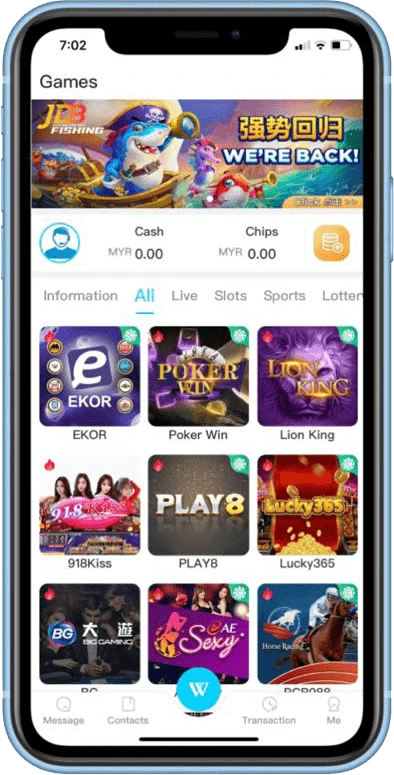
STEP 1

Open Chrome and go to winboxmys.com

Use Chrome or your phone’s default browser. Do not search “Winbox APK download” on Google — phishing sites appear in search results. Go directly to winboxmys.com and bookmark it.

STEP 2

Tap "Download App" and select Android

Tap the Download App button on the homepage. Select Android when prompted. The Winbox APK file (approximately 35–50MB) will begin downloading to your phone.

STEP 3

Open the downloaded APK file

Pull down your notification bar and tap the Winbox APK download to open it. Or go to your Downloads folder and tap the file. The install prompt will appear on screen.

STEP 4

Open Winbox and log in or register

Tap Open or find the Winbox icon on your home screen. Log in with your existing account or tap Register to create a new one. Complete KYC identity verification before your first withdrawal.

Download the Official Winbox App: Android & iOS

overlay-bg

NEW WINBOX App

Only download from this official page
Third-party APK sites, Telegram links, and WhatsApp groups distribute fake or modified versions of the Winbox app that can steal your account details and payment information. The only safe source is winboxmys.com.

STEP 1

Open Safari and go to winboxmys.com

Use Safari — not Chrome or Firefox. The iOS installation profile only works correctly through Safari on iPhone and iPad.

STEP 2

Tap "Download App" and select iOS

Tap the Download App button and select iOS. A pop-up will ask if you want to allow a configuration profile to download to your iPhone. Tap Allow.

STEP 3

Go to Settings → General → VPN & Device Management

Open your iPhone Settings app. Tap General, then scroll down to “VPN & Device Management.” On older iPhones running iOS 13 or below, look for “Profiles & Device Management” instead.

STEP 4

Tap the Winbox profile and select "Trust"

Tap the Winbox developer name shown in the list. Tap “Trust [Developer Name]” and confirm. This step tells your iPhone the app is from a verified developer. Without this step, the app will not open.

STEP 5

Return to your home screen and open Winbox

The Winbox icon will now appear on your iPhone home screen. Tap it to open, then log in or register your account. If you see “Untrusted Developer” when opening, repeat Step 4.

WINBOX

What We Provided

100% Safe & Secure

Your safety comes first. Our platform is free from malware, viruses, and risks, ensuring a worry-free experience every time.
Your peace of mind is our priority. 

Cutting-Edge Technology

Dive into Winbox 6.0, the 2025 edition, engineered with advanced tech for lightning-fast performance and a flawless online gaming experience.

Cross-Platform Compatibility

Enjoy the Winbox app seamlessly on Android, iOS, or Windows 64-bit—designed for smooth performance across all your devices.

Fast & Efficient Access

Unlock instant logins, slick navigation, and optimized performance with the Winbox app, making every feature fast and effortless.

Trusted by Thousands

Join thousands of happy users who trust the Winbox app for its rock-solid reliability and consistent excellence in Malaysia’s online casino scene.

Exclusive Features & Updates

Stay ahead with real-time updates, exclusive mobile features, and the freshest version of the Winbox app, packed with unique perks.

24/7 Dedicated Support

Our 24/7 Winbox support team is always ready to assist with setup, account help, or any questions, ensuring you’re never alone.

Official Source Reminder

For a safe, high-performance, and reliable experience, always download the Winbox app from our official source.

Download Winbox App Now

Free to download Available on Android and iOS.

Always download from the official source — winboxmys.com.
en_USEN_US